Find out what breaks before you switch to Checkout Blocks
WooCommerce is retiring Classic Cart and Checkout in favor of Cart and Checkout Blocks. A single incompatible plugin, gateway, or custom field can silently break your checkout — and every checkout error is a lost sale. This free scanner tells you exactly what to fix before you flip the switch.
Gsoft Labs is an independent developer and is not affiliated with or endorsed by Automattic or the WooCommerce project. "WooCommerce" is a trademark of Automattic Inc.
Everything you need to plan a safe migration
One scan checks every part of your checkout that could break, then guides you through fixing it.
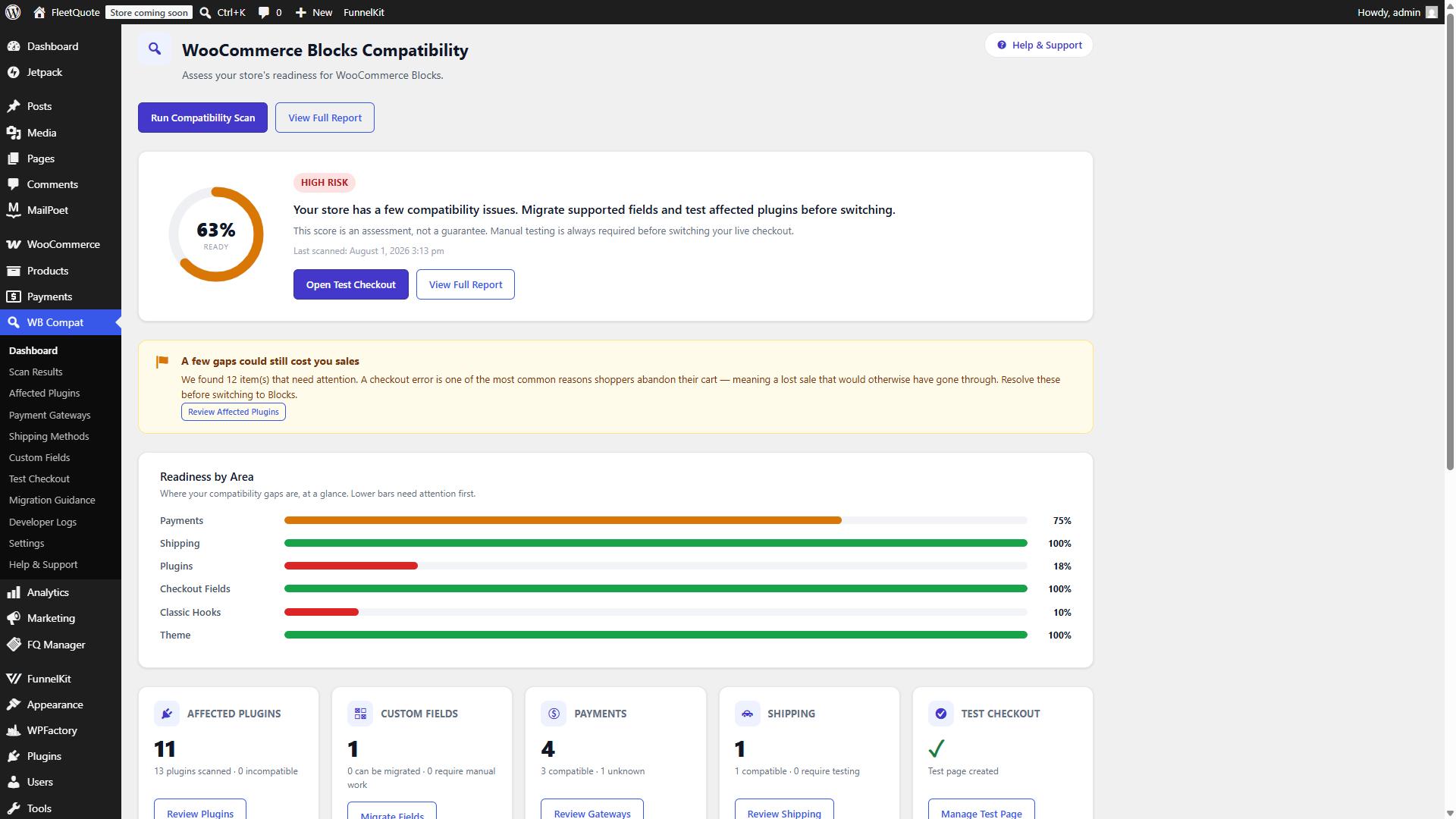
Readiness score
A weighted 0–100% score across store config, plugins, hooks, theme, gateways, shipping, and custom fields.
Plugin & hook detection
Finds every Classic Checkout hook in your active plugins and theme, with the inferred purpose and the Blocks alternative.
Gateway & shipping checks
Assesses every enabled payment gateway and shipping method for Blocks compatibility, so checkout never silently fails.
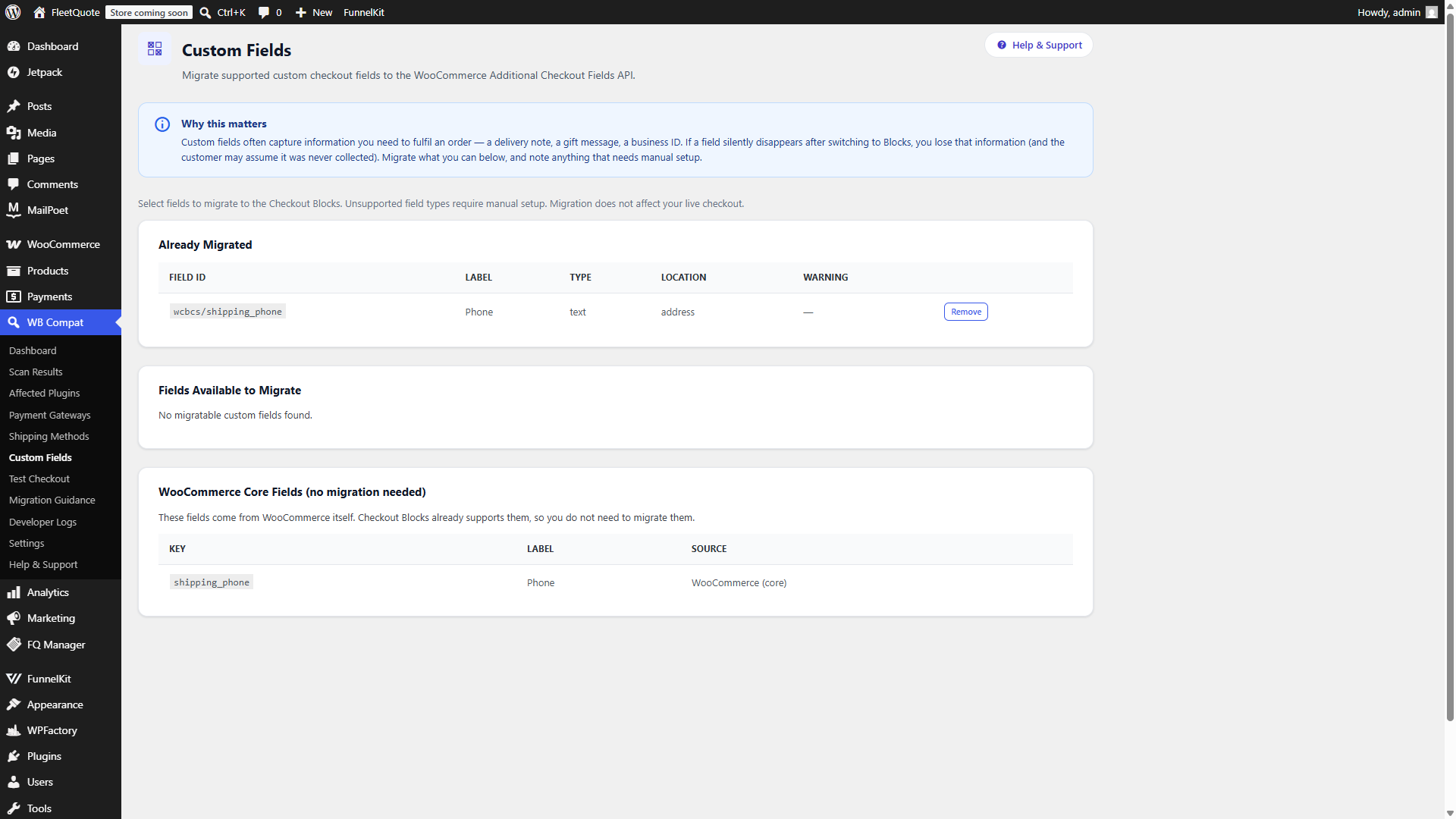
One-click field migration
Migrates supported custom checkout fields to the official Additional Checkout Fields API in a couple of clicks.
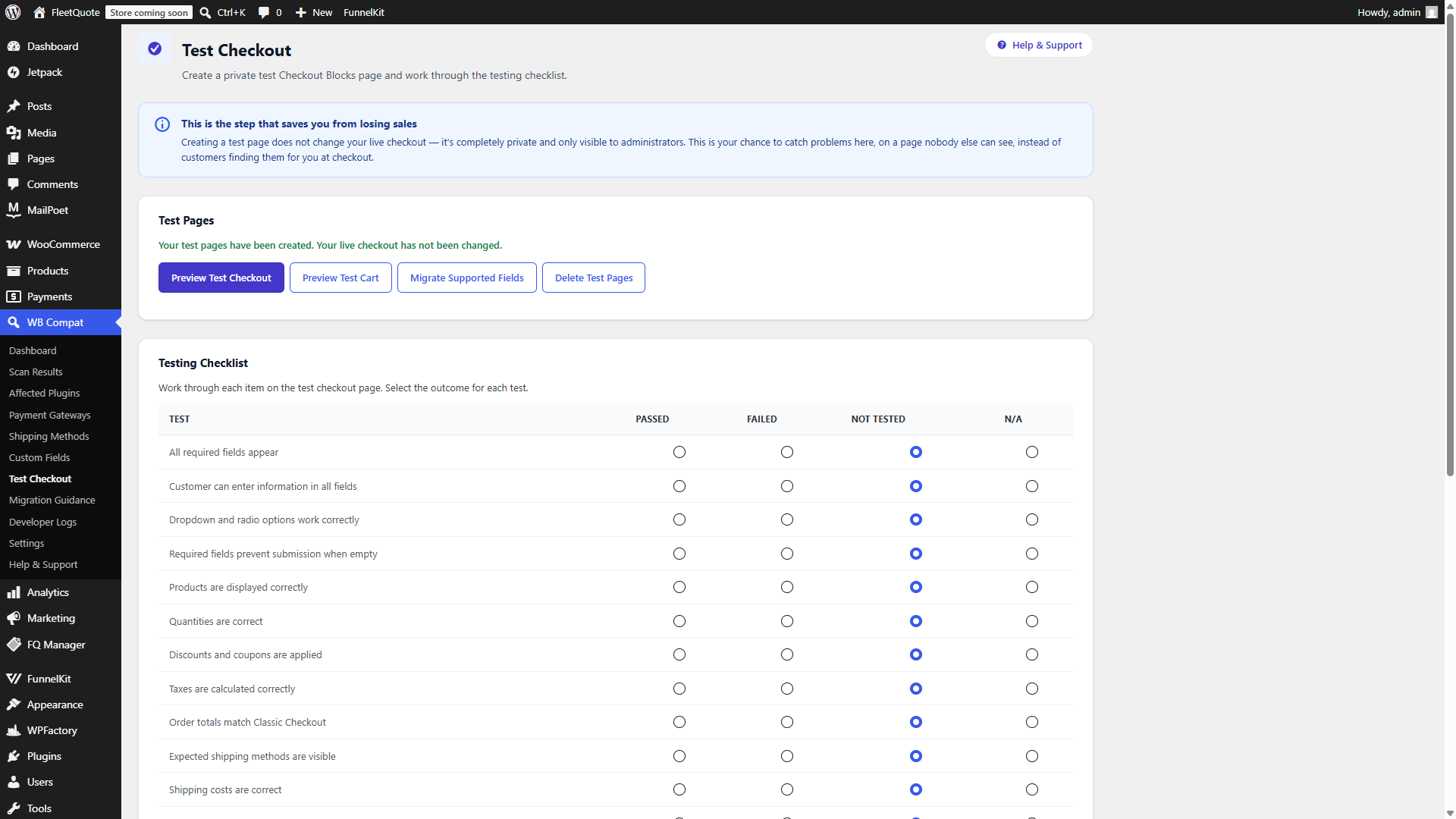
Private test checkout
Spins up a private, draft Checkout Blocks page with a full testing checklist — your live checkout is never touched.
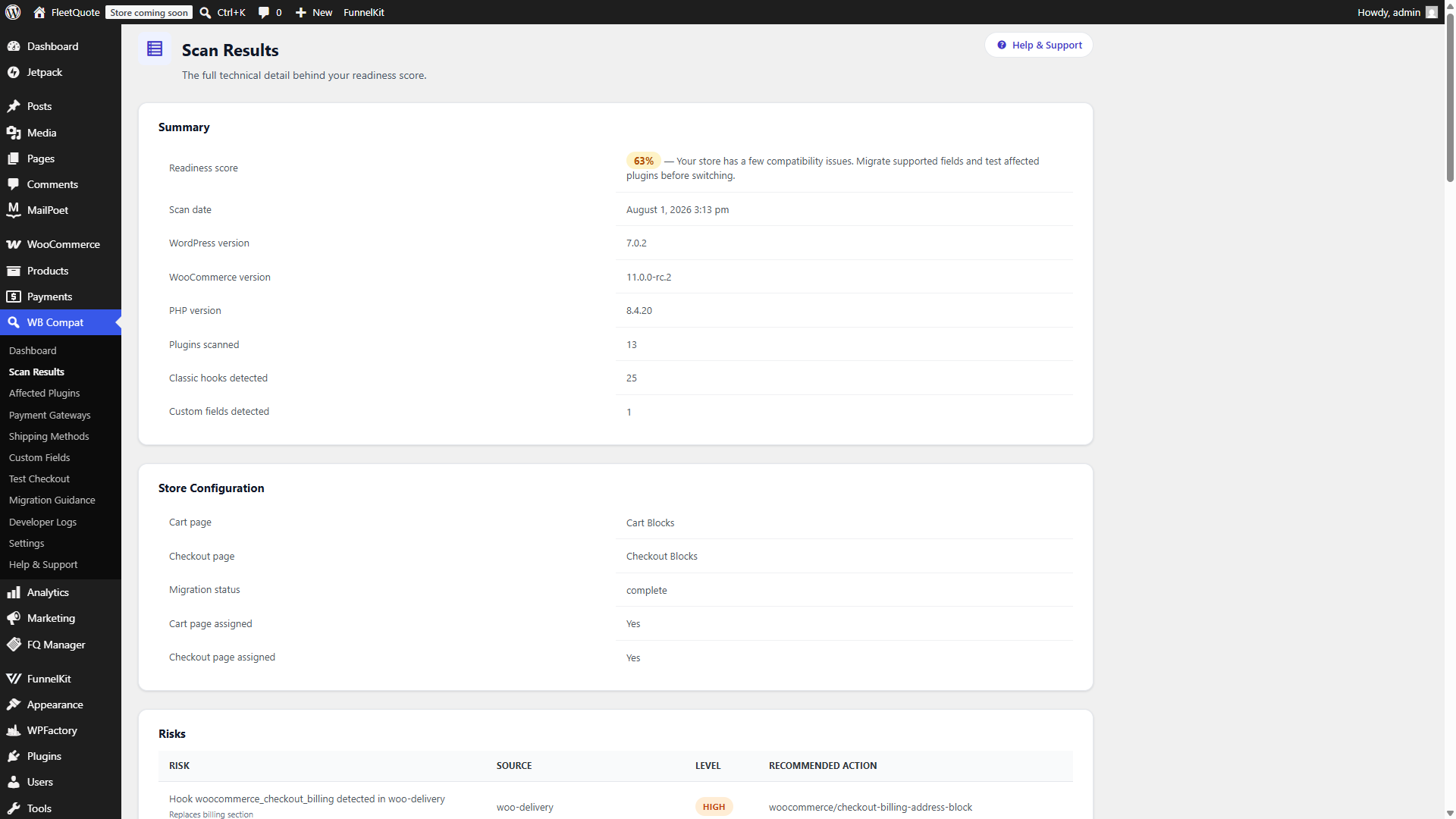
Developer log exports
Export the full technical scan in JSON, TXT, or CSV to hand to a developer — no passwords or customer data included.
Plain-English guidance
Every affected plugin and unsupported field comes with a step-by-step "what to do about it" recommendation.
Built-in Help & Support
A step-by-step guide to every screen, an FAQ, and direct links to documentation — made for beginners, not just developers.
Built for anyone responsible for a WooCommerce checkout
You don't need to be a developer to understand your results — but developers get the technical depth they need too.
From unknown risk to a tested checkout in four steps
Install & scan
Activate the plugin and run your first compatibility scan — it only reads your store, nothing is changed.
Review your score
See your readiness score broken down by plugins, hooks, gateways, shipping, theme, and custom fields.
Fix what's flagged
Migrate supported custom fields with one click and follow plain-English guidance for everything else.
Test, then switch
Work through the testing checklist on a private test page, then switch to Blocks with confidence.
A closer look at the scanner
Completely free, no catch
Every feature in this plugin is free on WordPress.org — there is no paid upgrade for core scanning and migration functionality.
Blocks Compatibility Scanner
Everything on WordPress.org, no strings attached.
- 7-area compatibility scan with a weighted readiness score
- Classic Checkout hook detection with Blocks alternatives
- Payment gateway & shipping method compatibility checks
- One-click custom field migration
- Private test Checkout Blocks page & testing checklist
- Developer log exports (JSON, TXT, CSV)
- Built-in Help & Support guide
Frequently asked questions
Will this plugin change my live checkout?
No. The scanner never changes your live cart or checkout page without an explicit, confirmed admin action. Creating a test page only creates a private draft page that is never assigned as your WooCommerce checkout.
Is the readiness score a guarantee?
No. The score is an assessment based on detected compatibility signals. Manual testing on the private test checkout is always required before switching your live checkout.
Is any data sent to a third party?
No. This plugin does not connect to any external service, API, or analytics platform. All scanning, scoring, and field migration happens entirely on your own site.
What field types cannot be migrated automatically?
Date pickers, file upload fields, and fields with complex conditional logic cannot be migrated automatically. The plugin's guidance page explains exactly what to do for each one.
Is this plugin made or endorsed by WooCommerce?
No. This is an independent, third-party plugin built by Gsoft Labs. It is not affiliated with or endorsed by Automattic or the WooCommerce project.
Know your checkout risk before you switch
Free to install. Takes minutes to run your first scan.
Download the scanner free